Everything it does.
In one page, with nothing held back for later.
Reading
- Every field MediaInfo reports, grouped by track
- An Overview card first: video, main audio and subtitles at a glance, with colour-coded highlights
- Six views: Easy View, Text, Raw Text, HTML, XML and JSON — JSON and XML with syntax highlighting
- Values aligned in a monospaced column, so they can be scanned
- Seventy fields carry a plain-language explanation
- Search and filter across every field at once
Tabs and files
- Every file in a tab of its own; drag to reorder, or drag a tab onto another app to open the file there
- A folder opens as one tab, with its media files listed beside the report
- Drop one file for a tab, two to compare them, three or more for a tab each
- Favorites: star a tab, then find it on the start screen, in File › Favorites and in every Compare list
- A start screen with your favorites, recent files and the time you have spent in the app
Comparing
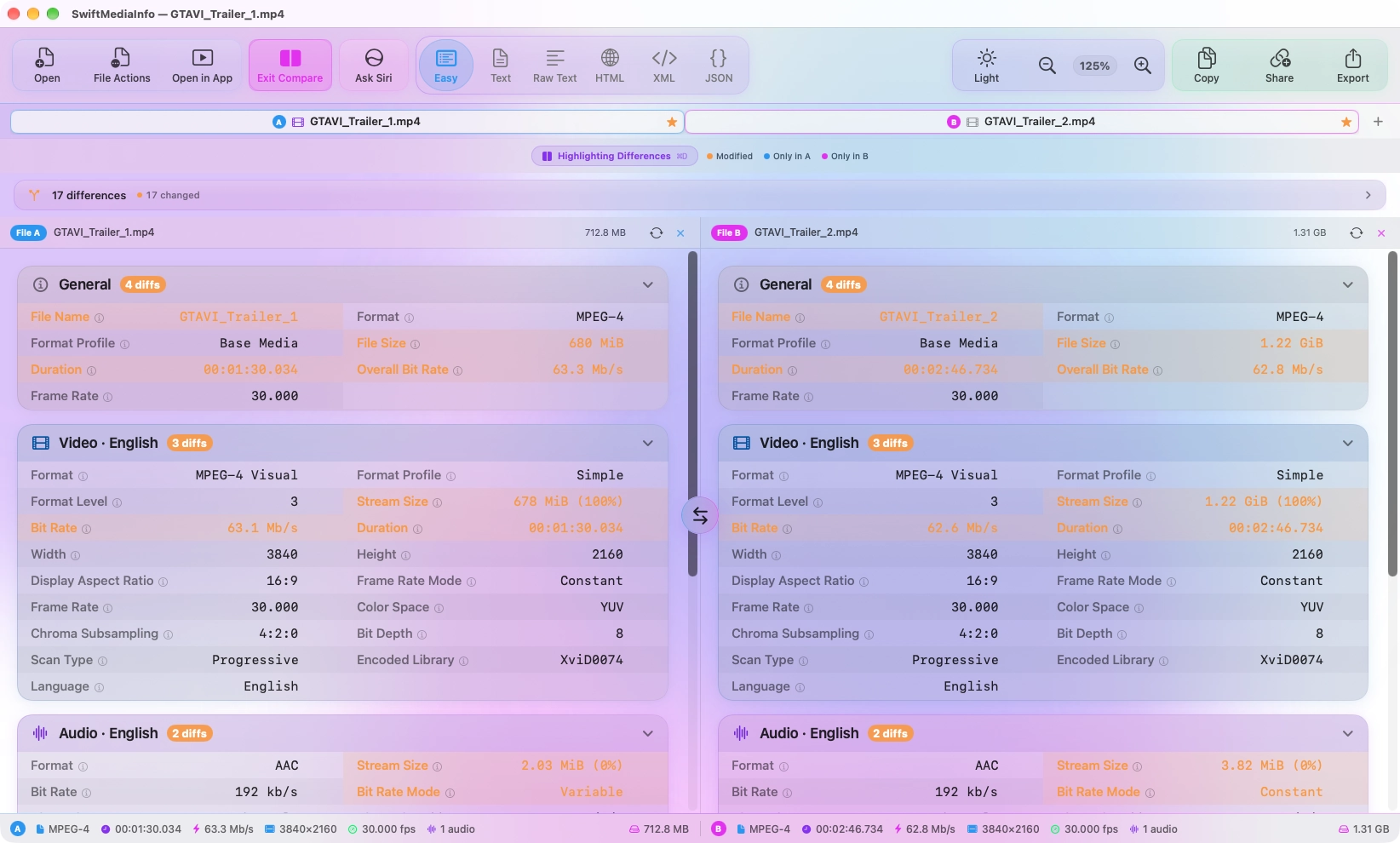
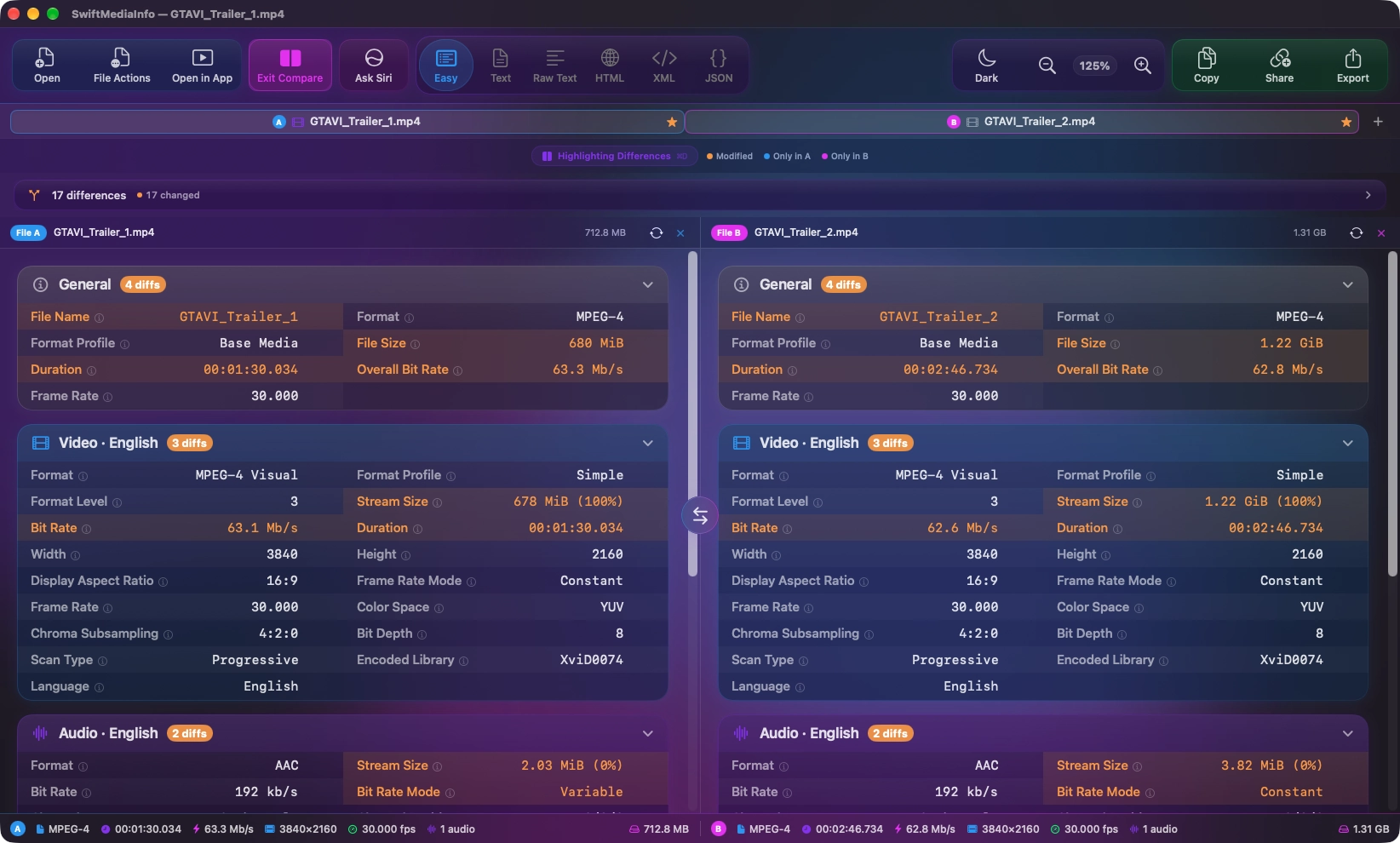
- File A and File B are two of your open tabs
- ⌘-click a tab, right-click it and choose Compare With, or use the Compare button
- Every differing field marked, and a summary listing the differences
- Hold Option while dragging to open a second file as the comparison
- Swap the two sides from a control on the divider
- Export or share either file's report, or both together
Checking
- Media Health checks a file for common problems and explains every warning
- Missing streams, duplicate track IDs, variable frame rate, HDR metadata, language tags, duration mismatches
- SHA-256 checksums, computed on request because it means reading every byte
- Real progress, and cancelling stops the work immediately
- Results cached, so the same file is never hashed twice
Previewing
- Space previews the file, as in Finder
- Quick Look for what macOS plays; for MKV and the rest, clips played by macOS's own player — 4K, HDR and Dolby Vision included
- Every subtitle track, Blu-ray PGS included, and subtitles transcribed by macOS 27
- A filmstrip of the whole file; volume, speed and zoom remembered
- Uses ffmpeg, which the app offers to install
Siri AI
- Ask what a file is, whether it is healthy, or for an overview
- In Compare Mode, ask which of the two is the better copy
- Follow-up questions in the same window
- On-device only: Siri AI reads the report text, never the file, with paths removed
- On Macs with Apple Intelligence, running macOS 27 or later
Exporting and sharing
- Eight formats: Text, Raw Text, HTML, PDF and Markdown to read; CSV, JSON and XML for other tools
- All eight at once, or bundled as a single ZIP
- A designed PDF report, and Markdown ready for the pastebin of your choice
- Copy a value, a field and its value, a track or the Overview — as text or as Markdown
- Share a report online: HTML and PDF as a web page, Markdown rendered, the rest as text
Fitting in
- Right-click files or folders in Finder to open them, or two files to compare
- Reveal in Finder, copy path, rename, move to Trash
- Light, dark or system appearance
- Background wash: off, static or animated, in colours you choose
- Zoom in and out of the report
- Full keyboard control with a shortcuts reference, and VoiceOver throughout
Privacy
- Analysis happens on your Mac and nowhere else — Siri AI included
- Reading metadata never alters a file
- Sharing is opt-in, and shows exactly what is removed first
- You decide whether file paths and the checksum go into copies, exports and shares
- No account, no telemetry, no network calls you did not ask for
- Open source under the MIT licence
Against the official app.
MediaArea, who make MediaInfo itself, also sell a Mac app. It is a reasonable question which to use, so here is the comparison without any thumb on the scale.
| SwiftMediaInfo | MediaInfo for Mac | |
|---|---|---|
| Price | Free | The tool is free; the Mac app is paid, plus an in-app purchase |
| Licence | MIT, open source | The MediaInfo library is BSD; the Mac app is sold |
| Interface | Liquid Glass, written entirely in SwiftUI | Shared across five platforms |
| Side-by-side comparison | Included | Requires the in-app purchase |
| Difference highlighting | Field and line level, with per-track counts | — |
| Field explanations | 70 fields | — |
| SHA-256 checksums | Yes | — |
| Tabs | Every file in a tab, folders as a single tab | — |
| Media health checks | Common problems found and explained | — |
| Preview | Space to preview, MKV included, with subtitles | — |
| AI explanations | Siri AI, on device | — |
| Search | Global fuzzy search across every field | — |
| Share online | Upload a report and get a link | — |
| Interface zoom | Scales the whole interface | — |
| Keyboard shortcuts | Full, with a reference window | — |
| Finder integration | Context menu for files, folders and several files at once, Compare from the menu, drag-and-drop, and ⌥-drag to compare directly | Context menu and drag-and-drop |
| Export formats | TXT, Raw TXT, HTML, PDF, Markdown, CSV, JSON and XML — one at a time, all eight separately, or bundled as a ZIP | Text, XML, JSON, EBUCore and more |
| Appearance | Light, dark or system, with an off, static or animated background in colours you choose | Follows the system |
| Platforms | macOS 26 and later | macOS, Windows, Linux, Android, iOS |
| Languages | English | 37 languages |
| Signed and notarised | No | Yes, via the App Store |
The MediaInfo column reflects what MediaArea documents on the App Store and their own site. A dash means it is not described there, which is not the same as it being absent.
Three of those rows go the other way.
MediaArea's app is on every platform, in 37 languages, and it is
signed and sold through the App Store — so it installs without a
warning and without a Terminal command. If any of that matters to
you, buy theirs. It is a good app by people who have maintained
this work since 2002.
None of this exists without MediaInfo.
SwiftMediaInfo reads your files using MediaArea's tool, and every
field on screen comes from their work. This is a different
front-end for it, not a replacement — and if you find the app
useful, the people who built the engine deserve
supporting.